
Pre-Printed Badges or Onsite Badge Printing? Decide Before the Queue Does
Compare pre-printed badges and onsite badge printing by attendee data, arrival flow, last-minute changes, hardware, cost and event type.
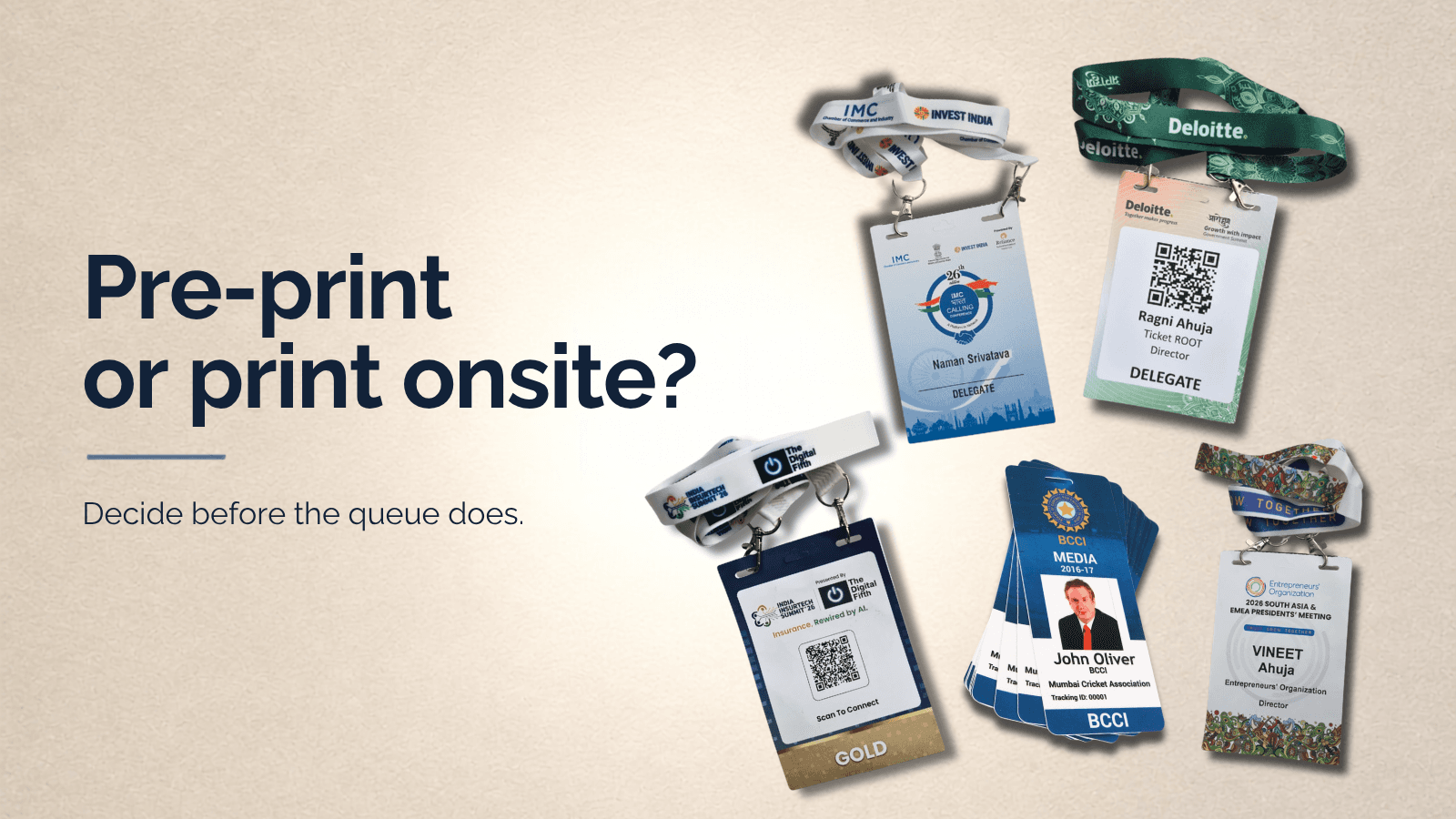
Our onsite teams see a version of the same morning at almost every large check-in desk we’ve run. The first bus arrives twenty minutes early. One delegate’s company name has changed since registration closed. A speaker is checked in as a general visitor. A dozen walk-ins are standing to the side of the desk with no record in the system. Someone is going through a stack of pre-printed badges looking for a name that starts with M.
The opening session starts in fifteen minutes.
None of this shows up in a planning meeting. It shows up at the desk, which is exactly why the choice between pre-printed badges and onsite badge printing shouldn’t be decided on cost, appearance, or “what we did last year.” It should be decided on how stable the attendee data actually is, how people are likely to arrive, and how many exceptions the desk will have to absorb in real time.
The short version
• Choose pre-printed badges when the attendee list closes early, changes are rare, arrival is controlled, and the badge needs a finish that can’t be produced at the venue.
• Choose onsite badge printing when registrations stay open, walk-ins and substitutions are expected, or the badge needs to connect directly to QR check-in and live attendance data.
• Choose a hybrid setup when most attendees are confirmed, but VIPs, speakers, or late changes still need flexibility.
The real question is which method leaves the desk with the fewest exceptions to solve on the day.
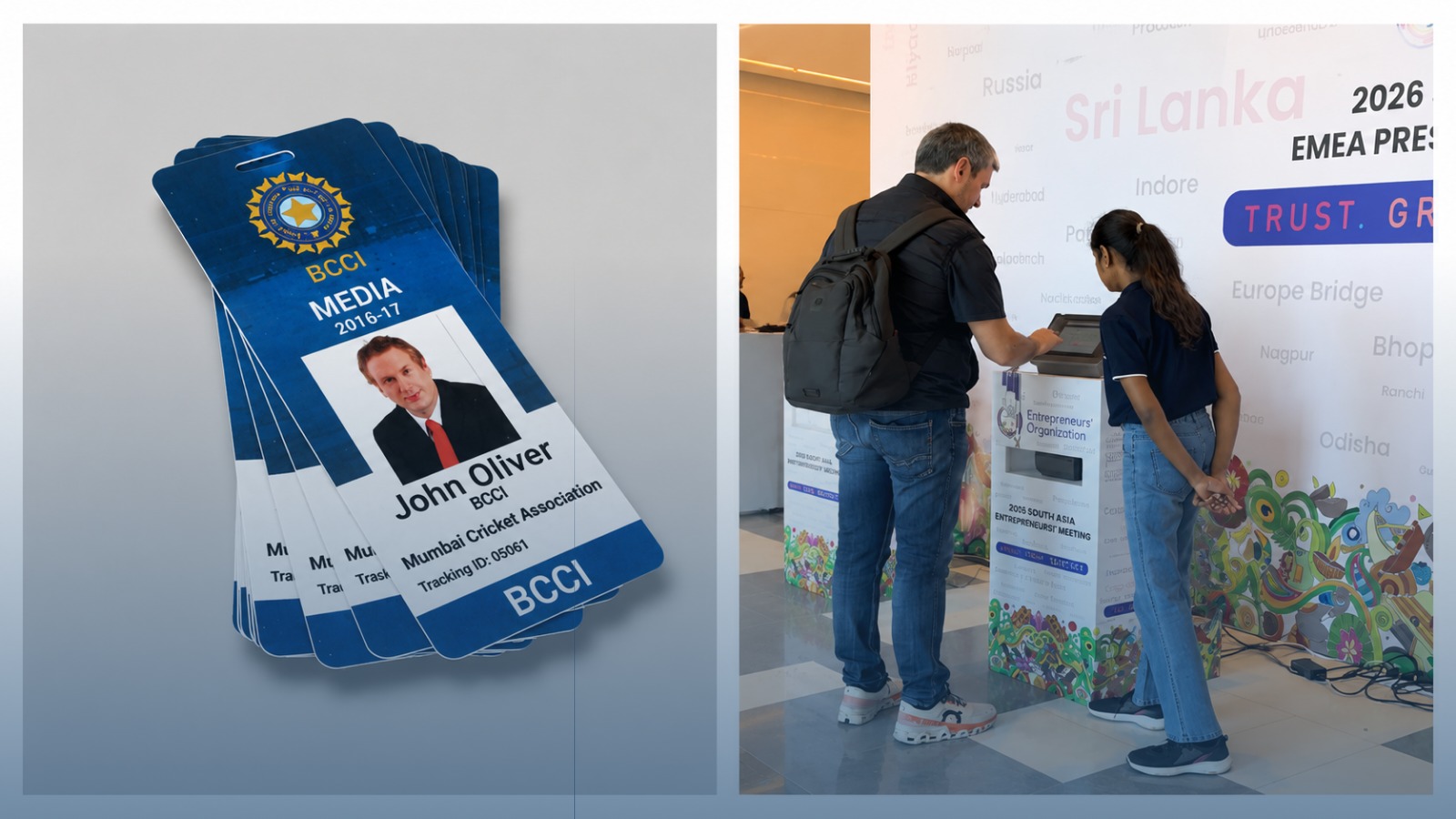
Pre-printed and onsite printing, side by side
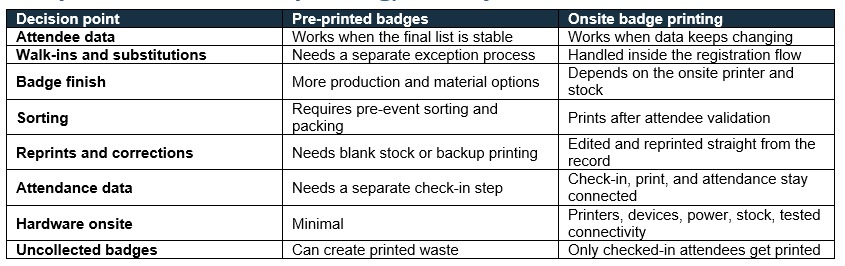
When pre-printed badges are the right call
The list is genuinely final. A spreadsheet titled “final” doesn’t prove much on its own. The real test: do companies typically substitute attendees at the last minute, do speakers get added late, do exhibitors submit staff details after the deadline? If the honest answer is “rarely,” pre-printing is efficient.
Arrival is controlled. A 250-person invite-only dinner with named guests rarely needs multiple printers running. Badges can be sorted by company, host, table, or surname, whichever matches how guests actually identify themselves at the door.
There’s still an exception plan, even here. Blank stock, one approved correction template, and a clear owner for missing badges, substitutions, and walk-ins. Pre-printing removes live production for the main list. Change still happens, it just gets handled somewhere else.
The badge needs a finish a printer at the venue can’t produce. PVC, layered paper, seed paper, unusual shapes, full front-and-back production, these are all easier to get right when there’s lead time. Through ImpressionsID, TicketRoot produces QR-ready badges, lanyards, and wristbands matched to event branding and access logic, built for exactly this kind of run.
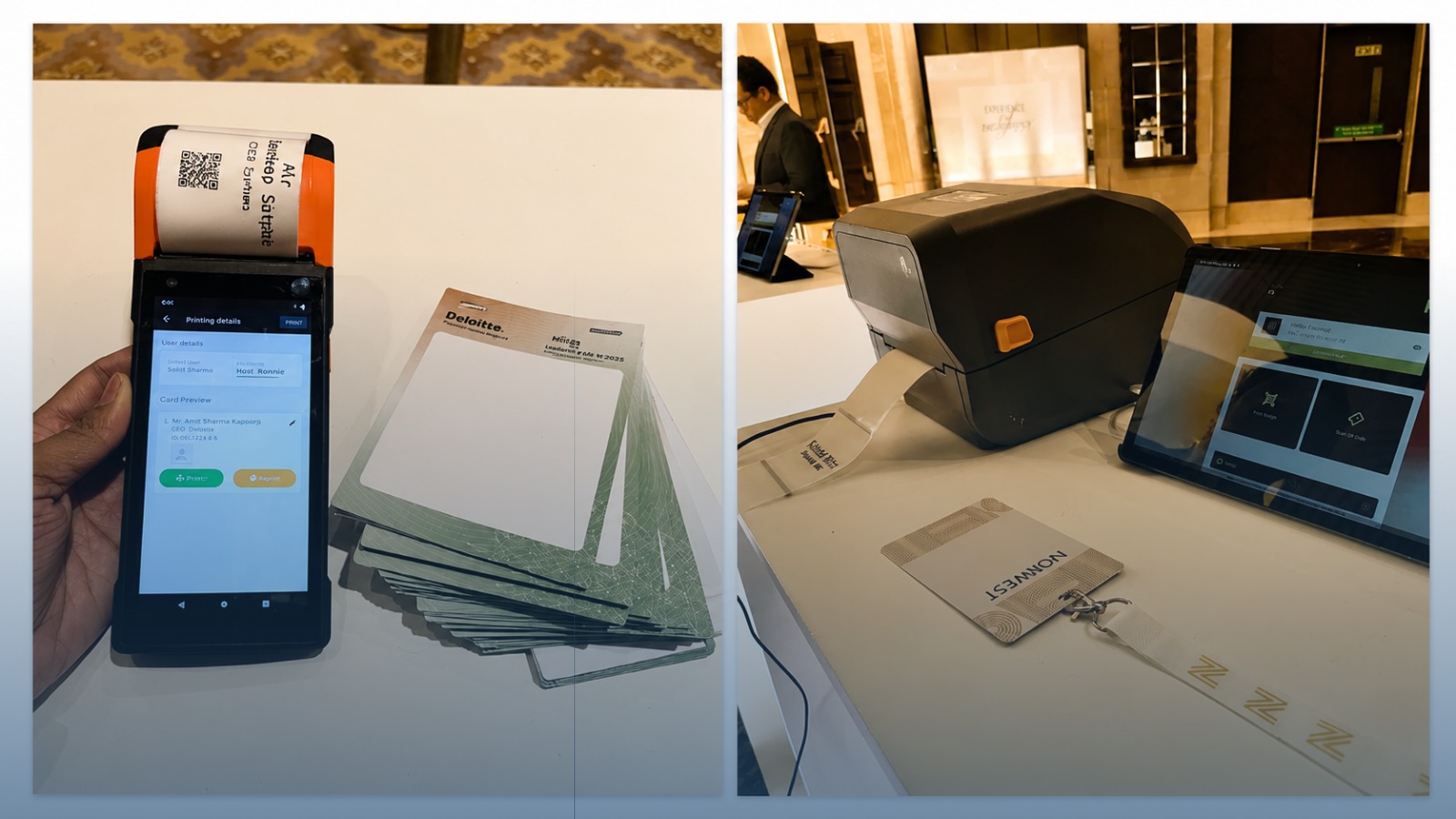
When onsite badge printing is the right call
Registrations stay open. Late sign-ups can enter the same registration and ticketing workflow as everyone else and get the same badge format, no separate pre-event print cycle required.
Attendee details keep changing. Names, companies, titles, and categories can be corrected right up until the badge prints. This matters most for corporate events, where one employee getting swapped for another close to the date is closer to routine than exception.
Different categories need different badges. Layout can shift automatically for delegates, VIPs, speakers, exhibitors, sponsors, or crew, without anyone manually sorting stacks. At FFCC Dubai 2025, an approved attendee’s QR code triggered an onsite print in under ten seconds, and that same credential was later reused for exhibitor lead capture, one badge doing two jobs.
The organiser needs to see what’s happening in real time. A connected system shows who registered, who checked in, who printed, who reprinted, and who never showed. TicketRoot’s dashboard and reporting pulls this together automatically instead of someone reconstructing it from paper after the event’s over.
Onsite printing is a workflow. The printer is just one part of it.
The hardware list is the easy part to picture: tablets or phones, QR scanners, badge printers, routers, backup devices, power, badge stock, lanyards. The part that actually determines whether check-in feels smooth is everything around the printer, finding the record, validating the category, resolving a correction, printing, and physically handing the badge over.
Decide these before doors open, not during:
• Test the badge with real data. Avoid placeholder names, use long names, long company names, every attendee category, and a live QR scan. A sample record called “Raj Shah” doesn’t stress-test a layout the way “Ananthakrishnan Venkataraman” does.
• If pre-printed badges are being shipped in, plan their distribution separately from the walk-in desk. They need their own collection point, not a shared queue.
• Run separate lines for pre-registered guests, walk-ins, and corrections. Decide in advance which line each attendee type is routed to.
• If pre-printed badges need to connect to the system, define the activation desk and protocol, where a guest activates their badge, and who’s responsible for that station.
• Decide whether guests are given staggered arrival times or arriving all at once. This changes how many lines and printers are actually needed.
• Match operator permissions to the role. A hostess should be able to check in a delegate without being able to change a VIP category or issue complimentary passes.
• Decide the fallback in advance: what happens if a printer fails, the internet drops, a guest can’t find their QR code, or a badge roll loads incorrectly.
The hybrid approach
For a lot of conferences, the better answer is a mix, split deliberately. The branded badge base gets produced in advance; only the name, company, category, and QR label print live, after the attendee is validated at the desk.
At the ICAI Abu Dhabi annual conference, branded badge bases were shipped ahead of time while personalised labels printed live after validation. The result kept the finish of a fully produced badge while still allowing onsite correction, without asking the organiser to choose one over the other.
In practice, a hybrid setup usually looks like:
• Pre-print VIP, speaker, or exhibitor badges that need a different finish
• Print regular delegates onsite, after QR or name validation
• Keep one correction and walk-in station open throughout
• Check in every attendee, including the ones with pre-printed badges, so attendance data stays accurate across the board
Three events, three different calls
An invite-only leadership dinner, 250 guests. The list closes days ahead, the organisers already know every guest, and there’s no public registration or session scanning to account for. Pre-printing is the simpler path here, with a small correction option held in reserve for last-minute substitutions.
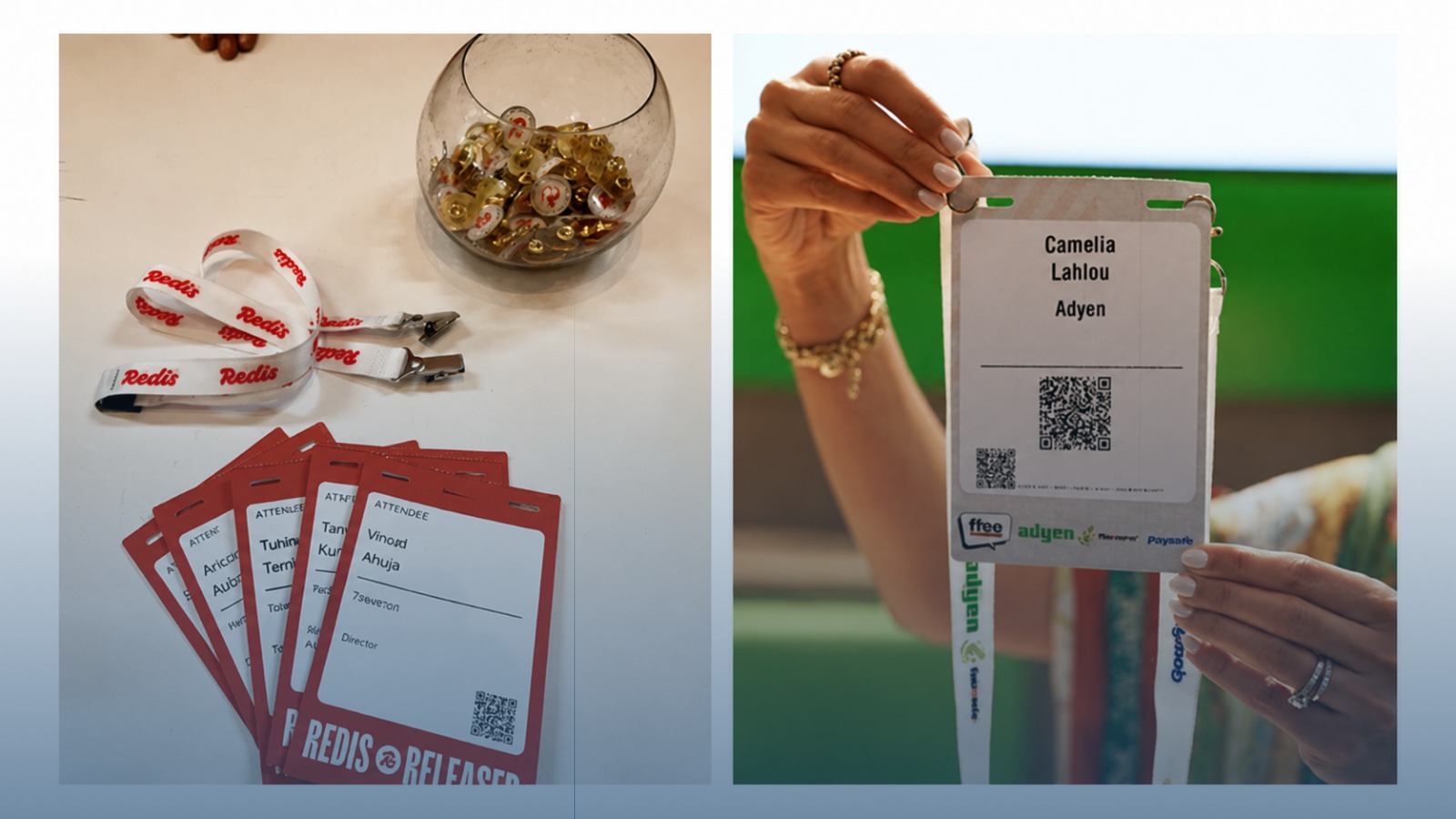
A conference with 1,000 attendees, speakers, and exhibitors. Registrations keep coming in through the final week, attendee category affects badge layout, and exhibitors need lead capture built in. Onsite printing connected to registration fits better. At Redis Released Bengaluru, more than 900 attendees moved through connected registration, onsite printing, and session scanning, with 99% checked in inside the first hour.
A member conference with a separate evening event. Membership needs validating, badge categories differ, and the evening portion has its own access rules. A hybrid model, produced bases with onsite personalisation, keeps the brand finish intact while still handling updated member information on the day.
Nine questions worth answering before you commit
If nobody owns the answer to these yet, the printing method isn’t the real issue. The workflow is.
1. When does the attendee list actually stop changing?
2. How many substitutions, corrections, and walk-ins happened at the last edition?
3. How many attendees might arrive in the busiest 30 minutes?
4. Do VIPs, speakers, exhibitors, or crew need different badge designs or access?
5. Does the badge need a specific material or finish?
6. Will the badge get scanned for entry, sessions, or exhibitor lead capture?
7. Who’s allowed to approve a walk-in, a category change, or a reprint?
8. What’s the fallback if a printer, device, or connection fails?
9. Does the organiser need a live view of who’s checked in while the event is still running?
For the process failures that tend to compound once doors open, this breakdown of common registration pitfalls is worth a read.
What to send your badging partner
• Event dates, venue, and city
• Expected registrations and check-ins
• Peak arrival period
• Attendee categories and badge designs
• Registration closing date and walk-in rules
• Badge size, material, and printed fields
• QR, access, session, or lead-capture requirements
• Number of counters and available client staff
• Hardware and onsite support required
• Reports needed during and after the event
Send a small test file early, ten rows is usually enough. Include the longest name and company on the list, every attendee category, one blank field, a VIP, a speaker, an exhibitor, and a QR-enabled record. Most layout and workflow problems show up in that test file long before the full list ever arrives.
Frequently asked questions
Is onsite badge printing faster than pre-printing? Usually yes at the point of arrival, since there’s no sorting or manual correction to slow the line down. But if the list and arrival flow are both tightly controlled, a well-organised pre-printed setup can hand out badges just as fast, sometimes faster, because nothing needs to print at all.
Can onsite badge printing work without internet? Depends entirely on the platform. Ask specifically whether attendee data, validation, and printing keep working locally if the connection drops, don’t assume it does.
How many badge printers does an event actually need? It comes down to four numbers: peak 30-minute arrival volume, average validation-and-print time per badge, badge format complexity, and how many exception cases you expect. There’s no fixed ratio that works for every event.
Can pre-printed and onsite badges be used together? Yes, and for most mid-to-large events, this is the setup we’d actually recommend. Pre-print the categories that won’t change, personalise the rest onsite.
Can badges be reprinted onsite? Yes, provided the operator has the right permissions and the event has a clear rule for what counts as a valid correction versus a replacement.
What information actually needs to be on the badge? At minimum: name, company, designation, category, and a QR or access identifier. Anything beyond that should earn its place, badges get cluttered fast.
So, pre-print or print onsite?
Pre-print when the list is stable, arrival is controlled, and the physical finish matters more than last-minute flexibility. Print onsite when the data keeps moving, registrations stay open late, or the badge needs to stay connected to check-in and live reporting. Run a hybrid when the event genuinely needs both production quality and onsite adaptability, which, for most mid-size and larger events, it does.
The team that gets this right builds the desk around what’s actually likely to change between now and the first bus arriving, rather than asking “how do we want to print.”
Planning badge printing for an upcoming event? Share the attendee count, date, arrival pattern, and expected changes. TicketRoot can map the registration, check-in, and badging setup, supply the printables and hardware through ImpressionsID, and support your team onsite or remotely.
Running an event and need a secure, trusted platform? Talk to TicketRoot →